Last reviewed: Nov 5, 2026
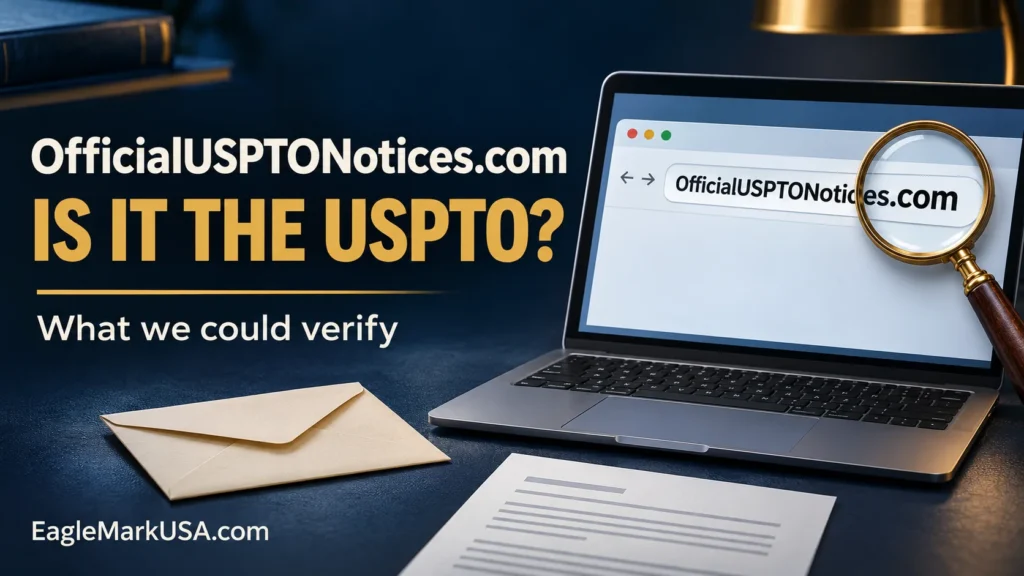
OfficialUSPTONotices.com is not a government domain of the USPTO. The United States Patent and Trademark Office identifies USPTO.gov and my.USPTO.gov as official domains. The agency sends emails directly from @uspto.gov.
Trademark-related messages, including legitimate private-service correspondence, can be sent from a private .com address. That doesn’t mean the sender is the government. The address itself doesn’t prove fraud.
If you received a message about this domain, independently verify the sender, requirement, due date, and where the payment should be sent. Don’t pay just because the message looks official or contains accurate trademark details. Also, don’t ignore a possible real deadline without checking.
This is what we could check, what we could not check, and what you should check before responding or paying.
Verification Status
NOT AN OFFICIAL USPTO WEB SITE — INDEPENDENTLY VERIFY BEFORE PAYING OR RESPONDING.
We found no authoritative evidence of OfficialUSPTONotices.com itself being officially declared fraudulent.
This review reflects publicly available evidence checked on November 5, 2026, and does not constitute a certification of safety, a legal finding, or an authentication of any particular email.
Is OfficialUSPTONotices.com a USPTO Official Site?
Nope. The domain name OfficialUSPTONotices.com ends in .com, not USPTO.gov or a subdomain of USPTO.gov. Just because it has “official”, “USPTO”, and “notices” in the name doesn’t make it a government agency website.
The USPTO’s scam guidance lists its official domains and warns about lookalike websites. Sort that out before you label a website or message as government communication.
It’s not only the wording of the domain that decides whether it is a fraud or phishing.
Which domain is the real USPTO at?
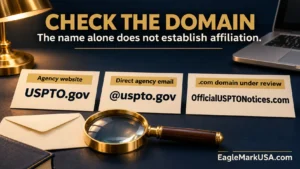
Enter these addresses independently:
- USPTO.gov: The agency’s primary website.
- MyUSPTO.gov: Its website, MyUSPTO.
- @uspto.gov: The ending used by direct emails from the USPTO.
Official tools also use subdomains, such as tsdr.uspto.gov. You will find filing systems on the agency’s website.
Just because a website has “USPTO” in the name doesn’t mean it’s affiliated with the U.S. Patent and Trademark Office.
For example, uspto.gov.example.com is under example.com, not USPTO.gov. Copied signatures and display names do not authenticate the sender.
What we have been able to verify about OfficialUSPTONotices.com
| Item checked | Finding | Evidence limit |
|---|---|---|
| domain suffix | The precise name uses .com. | This determines its domain type, not the conduct of the operator. |
| Official-domain match | It is not USPTO.gov or a USPTO.gov subdomain. | The government’s naming guidance supports the distinction. |
| Web page retrieval | We were unable to access the website through our research tool. | That does not mean the site is down, malicious, or inaccessible to everyone. |
| Domain report (third-party) | A public ScamAdviser report was available for the exact domain. | This is not a government determination but rather a secondary report. |
| Exact domain designation by the government | Our searches did not find an explicit USPTO or FTC fraud determination naming it. | Search results are not a full search of the enforcement record. |
ScamAdviser shows third-party domain data which reports the registration date as November 8, 2025, and in that report does not publicly disclose the identity of the registrant.
We were unable to independently confirm those registration details with a retrievable registry record. The report contains a warning about an outdated scan. Its details and scores are not verified current facts about the operator.
WHOIS privacy is not a sign of a bad act. You cannot prove affiliation or authenticate messages using domain age, hosting location, and automated ratings.
WHAT WE COULD NOT CONFIRM
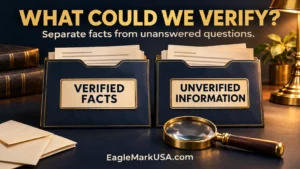
We were unable to independently verify:
- Any claimed official USPTO affiliation or endorsement for this domain.
- The present legal entity that runs it.
- The attorney’s participation or the responsible attorney.
- Its current terms of service, private-service disclosure, or refund policy.
- Whether its current pages bear a claim of government affiliation.
- An authoritative government determination or enforcement action declaring this exact domain fraudulent.
- Who sent any given email a reader may have received.
Being unable to retrieve the website does not establish that disclosures or attorney information are missing. Unverified is not the same as absent.
No authoritative USPTO or FTC source was found in the research that clearly classifies OfficialUSPTONotices.com itself as an identified scam domain. This limitation doesn’t say it is approved by the government or proven safe.
Is OfficialUSPTONotices.com affiliated with the USPTO?
We found no evidence of official USPTO affiliation. It is not an official agency domain name, and no independent verification of a government relationship was found in the sources reviewed.
If the sender claims to have authority from the USPTO, check it directly with the USPTO. If the sender claims to be a private company, check its identity, services, fees, and professional credentials separately.
The domain name reference alone does not identify a sender or operator. Retain original correspondence.
Why USPTO-Looking Messages May Be Convincing
Public trademark records may contain the name of a mark, the name of the owner, a serial number, a registration number, and a filing history. Those details can be quoted by a sender, even if they are not the agency or your representative.
The FTC’s USPTO impersonation alert describes messages that use the names of real employees, copied seals, urgent demands, and spoofed caller ID.
These are general patterns, not findings about this domain. Our Trademark Scams guide shows how they look in emails, invoices, letters, and calls.
How to check if a message from OfficialUSPTONotices.com is real
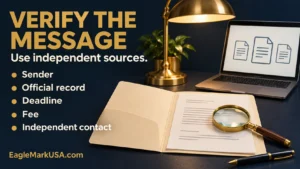
- Check the sender’s domain. Expand the full address and the reply-to field. A display name saying “USPTO” does not establish who sent the message.
- Open the official record yourself. In TSDR, enter your serial or registration number.
- Compare formal correspondence. Find the alleged Office Action or notice in Documents and review its contents. New documents might not show up right away; routine interactions may not have distinct documents.
- Check the due date. Use actual correspondence and filing history rather than an email countdown. TSDR provides maintenance information for registrations also.
- Check the charge. What filing is this? How does the demand compare to the official USPTO fee information?
- Do not use provided payment links. You can go to USPTO.gov and independently access the relevant official filing.
- Do not verify by caller ID. A government number displayed can be forged.
- Be proactive and call the agency. If you still do not understand what the correspondence means after you read it, contact the Trademark Assistance Center.
- Look up attorneys’ names. Check official state licensing records and contact the attorney independently to verify participation. See USPTO practitioner guidance.
- Perform a secondary red-flag review. EagleMarkUSA’s Trademark Scam Checker helps organize warning signs. It doesn’t authenticate a sender, verify safety, or detect fraud.
The USPTO’s TSDR instructions show how to check status and get documents. Once you’ve determined that you’ve received a legitimate Office Action, see our Trademark Office Action Response guide for what to do next.
What if the message requires payment?
Don’t assume the amount is owed. Establish:
- What’s owed: A particular government filing, private service, or optional listing?
- When is it due? Is there an independently confirmed deadline to back up the demand?
- Who gets it? The agency? Your hired representative? Some unknown recipient?
- What’s included in the price: Government charges, service fees, and optional extras should be clearly detailed.
The FTC warns that the USPTO does not request payment information by phone, text, or email. Verify an urgent request claiming agency authority through official channels.
Compare government and service charges using Trademark Registration Cost.
If the message says someone else is filing your name, then look into that filing separately. In our Trademark Clearance Search guide, we explain why actual records are more useful than a marketer’s screenshot.
USPTO.gov vs OfficialUSPTONotices.com
| Issue | OfficialUSPTONotices.com | USPTO.gov |
|---|---|---|
| Government domain | No; .com | Yes; .gov |
| Official USPTO site | No, not an official agency domain | Yes |
| Direct official email from USPTO | This domain does not comply with the agency’s direct-email rule | Direct agency emails use @uspto.gov |
| Government affiliation | Not established in this review | The agency’s website |
| Operator and current disclosures | Not independently verified | Recognised Government body |
| Independent verification | Necessary before relying on a claimed duty | Navigate independently; copied branding is not enough |
Signs to Watch Out for
Review any messages that contain trademark claims and:
- An unexplained 24-72 hour time limit.
- Guaranteed trademark registration or approval.
- A threat that your mark will be taken by someone else if you don’t pay.
- Unusual instructions for transfers or immediate payment pressure.
- Asking for your USPTO password or log-in codes.
- Optional private services presented as government requirements.
- Unclear business identity or unverifiable attorney involvement.
- Agency-type branding without independent verification of authority.
The USPTO’s service-scam guidance documents these general tactics. These are not allegations on this domain. Individual indicators do not, by themselves, prove fraud.
Is There Such Thing as a Legit Private Trademark Service?
Yes. Private trademark businesses do provide legitimate services. A .com domain is not suspicious automatically.
See if the provider names the contracting entity and gives a correct description of its role. See if it discloses its prices. See if it impersonates the USPTO. See if it makes a distinction between optional services and required filings. If legal representation is provided, verify the responsible attorney and the actual arrangement.
Apply these checks to each provider, such as EagleMarkUSA. EagleMarkUSA is a private service. This article is for educational purposes and is not government findings or legal advice.
What should you do before you pay?
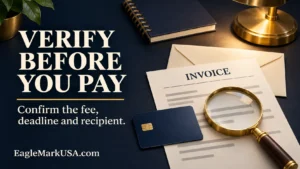
Confirm the sender separately, the requirement, the deadline, the fee, and the recipient. Verify official records and professional identities. Identify optional services, get an itemized scope, and save copies of communications.
Sales pressure shouldn’t substitute for verification, but suspicion shouldn’t cause you to miss a real deadline. Promptly get clarification from the agency and obtain advice where appropriate.
What to do if you’ve already paid
- Do not pay anything else until you have checked it. Do not pay another fee just to release a prior payment.
- Contact your payment provider immediately. Ask if it can be cancelled, reversed, or challenged.
- Collect evidence. Keep the original emails, receipts, invoices, screenshots, and transaction details.
- Change compromised credentials. Also address reused passwords and exposed authentication methods.
- Review USPTO access and records through official systems. Check for unexpected representative, correspondence, or account changes.
- Verify trademark status. Verify that the promised filing was done, and if real deadlines exist.
- Report suspected misconduct in the right way. Rather than assuming a conclusion, present evidence and describe what happened.
The FTC’s recovery guidance provides steps that are specific to payments. A payment dispute does not extend a trademark deadline, and recovery is not guaranteed.
Where to Report a Suspicious Trademark Communication:
- USPTO: Report any suspicious activity to TMScams@uspto.gov. The agency asks that suspicious emails be sent as original attachments to retain technical information.
- FTC: Report suspected consumer fraud at ReportFraud.ftc.gov.
- Payment provider: Report the transaction using independently obtained contact information.
- Other authorities. Depending upon the facts, internet crime, spoofed calls, mailed solicitations or attorney misconduct may require additional reports.
USPTO reporting checklist connects with related channels. Reporting does not establish guilt or guarantee recovery. It does not replace responding to genuine trademark correspondence.
Common Questions
Is OfficialUSPTONotices.com the real USPTO?
Nope. It’s a .com domain and not USPTO.gov or an official USPTO.gov subdomain. Check the agency’s website for any claimed requirement and independently obtain trademark records.
Is OfficialUSPTONotices.com a scam?
We can check that it’s not an official USPTO domain. We have not seen authoritative government evidence proving that the exact domain is fraudulent. Please independently verify all communications before payment or response.
What is the official USPTO website?
Begin at USPTO.gov. The agency also views my.USPTO.gov as official, and its trademark tools use subdomains such as tsdr.uspto.gov.
What email domain does the USPTO use?
Agency email addresses end with @uspto.gov. Do not rely on the sender’s display name. Check the full address. An apparent address alone is not enough; independently verify suspicious requests and retrieve formal correspondence through official systems.
Can a private company use USPTO in its domain name?
The existence of those letters does not imply affiliation or permission. Whether a particular use is lawful depends on the context and representations of that use. We have not made a legal finding as to this operator’s name or actions.
How do I check a trademark email?
Open TSDR independently. Find the trademark record and compare the claimed formal notice with the Documents tab. Check deadlines and fees separately. If there is a mismatch, please get in touch with the Trademark Assistance Center using contact information obtained independently of the suspicious message.
Can scammers use real trademark information?
Yes. Public records can tell you real mark names, owner details, serial numbers, and filing history. Correct information does not confirm the identity or authority of the sender.
What if OfficialUSPTONotices.com wants money?
Hold an unverified payment and verify the obligation, due date, recipient, and service terms. A claim for a government fee has to match official information. If a real deadline may be looming, ask for clarification promptly.
Where to Report Suspicious Trademark Notice?
Report suspicious trademark activity to TMScams@uspto.gov and suspected consumer fraud at ReportFraud.ftc.gov. If you sent money, contact the payment provider. Keep the original notification and proof of the transaction. Other reporting options may apply depending on the behaviour.
Conclusions:
OfficialUSPTONotices.com is not an official domain of the USPTO. That is not the same as proving that its operator or some particular sender defrauded someone. We did not find any authoritative USPTO or FTC determination that specified this particular domain as fraudulent, and we could not review the current website disclosures.
The next practical step is to independently verify. Check the official records to confirm the alleged obligation, check the sender and any attorney, separate government fees from private charges, and don’t just act under pressure. A message is not trustworthy because it sounds official or because there is no government warning published.
Need help reviewing trademark notice?
You can use the EagleMarkUSA Trademark Scam Checker or contact EagleMarkUSA to help you organize your correspondence and identify publicly available verification steps. Questions about legal disputes or representation should be directed to qualified U.S. licensed counsel. No review guarantees registration or determines that a third party committed fraud.
Scope of research reviewed Nov 5, 2026. We reviewed exact-domain searches, USPTO and FTC restricted searches, agency scam guidance, official TSDR instructions, and the secondary domain report mentioned above. The registry endpoint and website could not be retrieved with our research tools. No original recipient email, payment transaction, or verified operator identity was provided. This was not a forensic investigation or a complete search of court records.
